Panic Buttons for Business: How to Build an Emergency Response Plan
A panic button only helps if people know what to do when it goes off. How to choose one, connect it to your cameras and build the response plan.
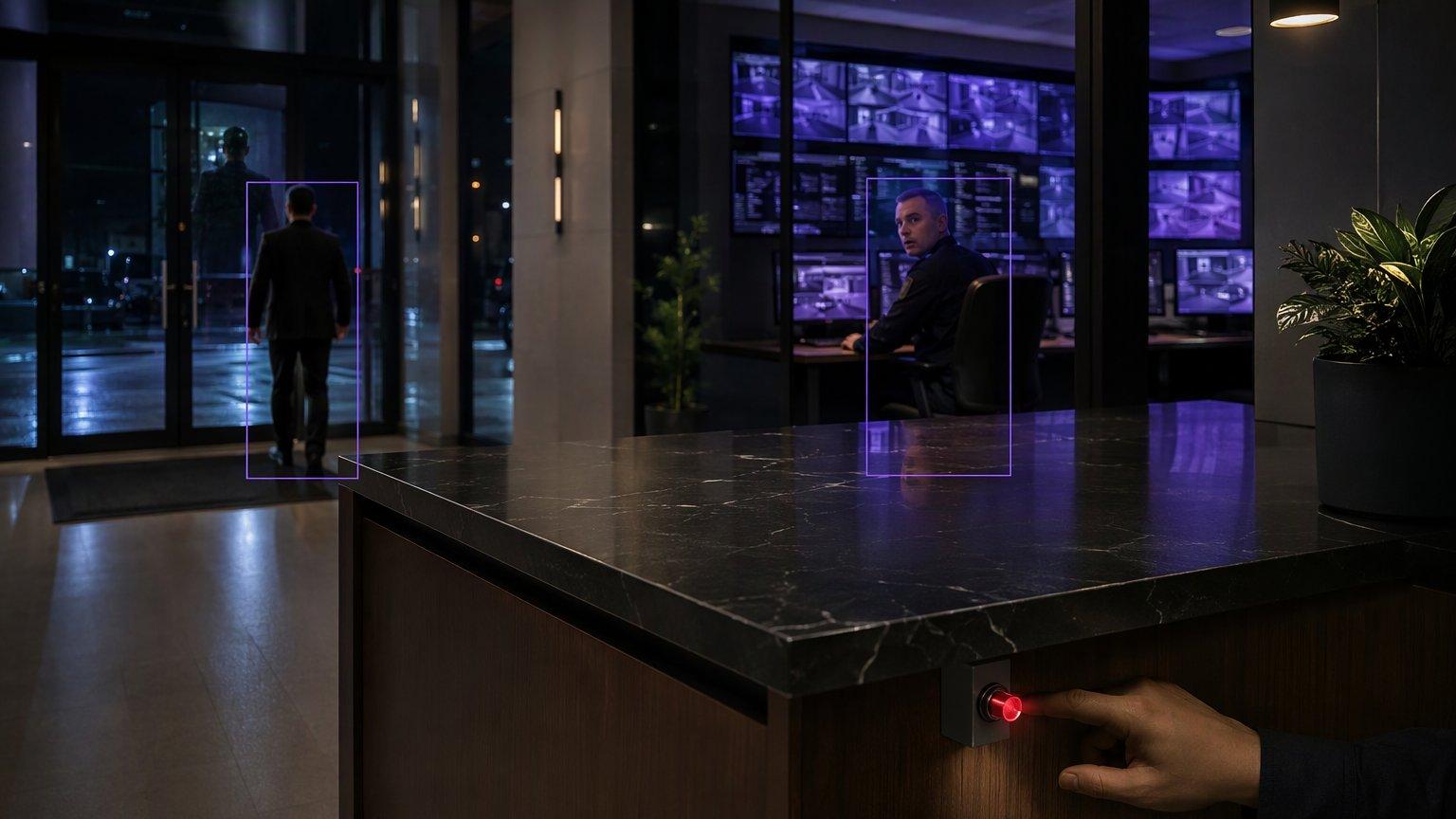
TL;DR: A business panic button is useful only when it's tied to a plan: who receives the alert, who verifies it, who gets called and what happens in the first minutes. Pairing it with the cameras you already own and with WhatsApp and phone-call alerts shortens the time between "something happened" and "someone is acting."
Panic Buttons for Business: Why the Button Isn't the Plan
Many companies install a panic button, test it once and forget it. One day someone presses it for real and they find out nobody knows who receives the signal, who to call, or whether the button even works.
A business panic button is a small piece of something bigger: an emergency response plan. Without the plan, the button is an expense. With it, the button saves minutes that can matter a lot.
This article stays practical: what types of buttons exist, how to connect one to your cameras, how to build the plan and how to avoid common mistakes. If you already have cameras and want them to help in an emergency, try Closely on your current cameras.
Types of Panic Buttons: Which One Fits
There's no perfect button. It depends on your operation.
- Fixed button (wired or wireless): under the counter, at reception or at the register. The classic for stores, banks, pharmacies and offices. Discreet and quick to press.
- Portable or keychain button: carried by a person. Good for guards, cleaning staff, people moving around a building or lone workers.
- Phone app button: useful for mobile teams. It depends on the phone having signal and battery.
- Silent button: makes no sound on site. The alert reaches whoever must act without tipping off the aggressor.
To choose, ask three questions. Who needs to press it? Where will that person be? What happens after it's pressed? Almost nobody asks the last one.
What Happens After the Press: The Response Plan
An emergency response plan answers, at minimum, these questions. General emergency-planning guidance agrees on the essentials: define how an emergency is reported, how people are alerted, and make sure staff know the plan before they need it.
- Who receives the alert? A specific person or group, with a backup if the first doesn't respond.
- How is it verified? Someone must quickly confirm whether it's a real emergency or an accidental press.
- Who gets called? Police, ambulance, fire department or the monitoring center, with numbers in plain sight.
- What does on-site staff do? Simple, practiced instructions, not a 40-page document.
- Who documents what happened? Time, who pressed, what was seen, what was done.
In the United States, OSHA's emergency action plan standard (29 CFR 1910.38) requires certain employers to have a plan and train staff. If you operate there, check whether it applies and what your state requires. In Colombia and Mexico, consult your occupational health and safety advisor and local authorities.
Connect the Button to Your Cameras: Verify Before You Dispatch
This is the biggest quality jump. A panic button only says "someone pressed." It doesn't say what's happening. If the signal reaches an operator with no video, they decide blind: calling police for a false alarm has costs, and not calling for a real one has worse costs.
With connected cameras, the operator can open the images where the button was pressed and see what's happening before deciding. That's the human-in-the-loop principle Closely uses: a person validates before dispatch. Closely runs on the cameras you already have (Hikvision, Dahua, Axis, Bosch, Reolink and others) over RTSP, ONVIF or your NVR, with no proprietary hardware.
To see how this flow would look in your operation, request a free 2-week demo.
WhatsApp and Phone Calls: Alerts That Reach Someone Who Answers
An alert sent to an inbox nobody checks is useless. In Latin America, WhatsApp is the channel almost everyone sees right away, and a phone call wakes someone who isn't looking at their screen.
Closely's Gatekeeper agent, built for visitors and access points, notifies by WhatsApp and by phone call. That same logic, "notify on the channel people actually answer, and call if they don't," is what you should design into your emergency plan, with Closely or any other system.
A reasonable notification chain: the shift lead first, then the backup, then the site manager, and finally the monitoring center. Set time limits: if nobody confirms within a minute, escalate.
What Cameras Can Catch Before Anyone Reaches the Button
The button depends on someone being able to press it. In a robbery with intimidation, there may be no time or chance. That's why cameras should add a second layer: automatic detection of risk situations.
Closely's Watcher agent analyzes cameras in real time and filters false alarms in multiple layers, up to 88% fewer false alarms. To understand why so many alerts are noise and how to reduce them, read our article on false alarm fatigue. If weapons are your concern, see how AI weapon detection with cameras works.
No technology guarantees it will catch everything. That's why the button and the cameras complement each other: one is the human signal, the other is the eye that never gets tired.
Common Mistakes When Rolling Out a Panic Button
- Installing and never testing. Test each button regularly and log the result.
- Not training staff. Everyone, including the night shift, should know where buttons are and what to do.
- False presses with no protocol. Define how an accidental alarm is canceled and who confirms it.
- Buttons nobody can reach. It should be pressable without the aggressor noticing.
- A single receiver. If that person is away or their phone is dead, the alert is lost.
- No documentation. After every incident, write down what happened and what to improve.
A Simple Example, No Made-Up Numbers
Picture a pharmacy with two registers. The cashier presses the silent button under the counter. The alert reaches the manager and the monitoring center on WhatsApp. The operator opens the register cameras, sees what's going on and decides whether to call police. Meanwhile the system keeps the video of the moment, and afterward someone exports it for the report.
Every step is simple. The hard part is defining it beforehand. A good start is a short drill every so often, adjusting whatever fails. When you want your cameras to take part in that flow, talk to Closely at closely.dev.
Frequently Asked Questions
How much does a business panic button cost?
It depends on the type (fixed, portable or app), the installation and whether monitoring is included. Get quotes from several providers and compare what each includes: maintenance, testing and connection to a monitoring center.
Where should I place panic buttons in my business?
Where a person might be at risk: register, reception, warehouse, manager offices and areas where someone works alone. They should be pressable without drawing attention.
What's the difference between a panic button and a regular alarm?
An alarm is usually designed for intrusion and sounds on site. A panic button is activated voluntarily by a person and can be silent, to call for help without alerting the aggressor.
Does a panic button connect to security cameras?
It can, depending on the provider and system. What matters is that whoever receives the alert can see the images from that spot to verify before dispatching help.
How often should I test the panic button?
On a fixed schedule you set in your plan, and always after any change to the installation. Record the date, result and who did the test.
What if someone presses the button by mistake?
Have a protocol to cancel quickly: who calls the person who received the alert and what code or phrase confirms it was accidental.
Is my company required to have an emergency plan?
It depends on the country and type of work. In the U.S., OSHA's 29 CFR 1910.38 sets requirements for certain employers. In Colombia and Mexico, consult your occupational safety advisor.
Can I receive alerts on WhatsApp?
Yes, many platforms allow it. Closely sends WhatsApp and phone-call notifications in its access and visitor flows, and you can build your notification chain around that channel.
Can AI replace the panic button?
No. AI helps detect risk situations and filter false alarms, but the button remains a person's direct signal. They work together.
Can I use Closely with the cameras I already have?
Yes. Closely works on existing cameras via RTSP, ONVIF or NVR, with no proprietary hardware, and offers a free 2-week demo.
The Bottom Line
The panic button is the visible part; the plan is what saves time. Define who receives the alert, how it's verified on camera, who gets called and how often you practice. When you're ready to connect your cameras to that plan, request your free demo at closely.dev.