Hikvision AcuSense and False Alarms: Is the Camera's Built-In Filter Enough?
What Hikvision AcuSense does about false alarms, where it falls short, and when to add AI on top of your existing Hikvision cameras.
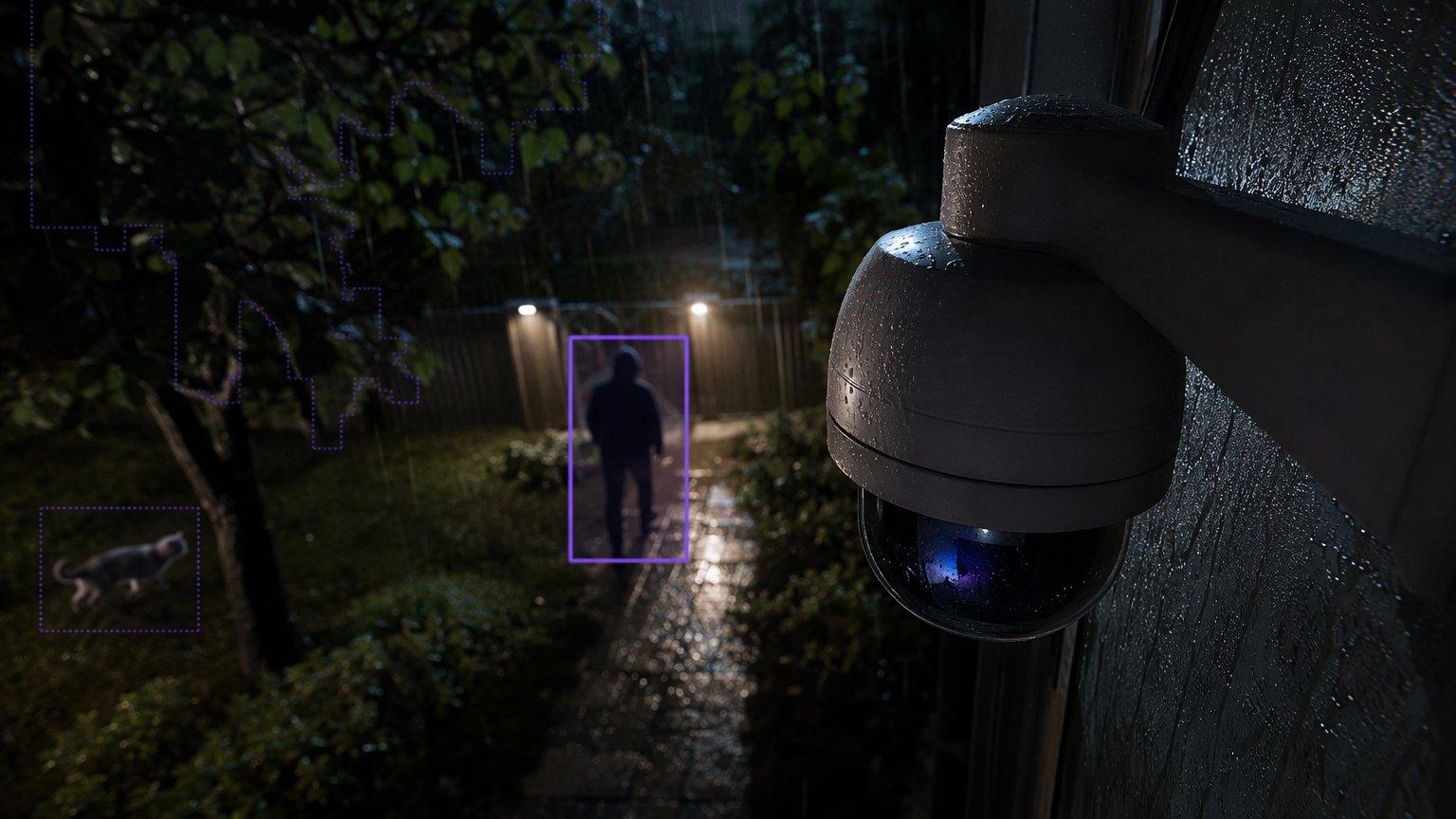
If you already run Hikvision cameras, someone has probably pitched you AcuSense: the technology Hikvision says filters false alarms inside the camera or the NVR itself. The question we hear most from operators and property managers is simple: does that cover me, or will I keep getting alerts that are useless? The honest answer is "it depends," and this article explains on what. If you would rather see the result on your own cameras, you can try Closely free for 2 weeks.
What Hikvision AcuSense is and how it filters false alarms
Hikvision AcuSense is the name Hikvision gives to a family of cameras and NVRs with deep learning algorithms that classify what they detect. Instead of firing an alarm on any pixel change, the system tries to tell whether the moving object is a person, a vehicle or "something else."
It is configured per rule. For a line-crossing or intrusion rule, for example, you can tell the camera to alert only if the object is a person or a vehicle. Everything else, such as a cat, a branch or a blowing plastic bag, should not raise an alarm.
According to the manufacturer's own documentation, this classification requires AcuSense-capable cameras or NVRs. An older camera without that capability does not have it on its own.
What numbers are out there (and how to read them)
Hikvision and reseller marketing mention false alarm reductions ranging from roughly 70-80% up to "as much as 90%," depending on the product line. Read them carefully: these are manufacturer or reseller figures, not independent tests, and they depend on installation conditions. Do not treat them as a promise for your site. The healthy approach is to measure in your own operation.
Where AcuSense works well
To be fair to Hikvision: AcuSense solves a real part of the problem. On simple perimeters, with good lighting and well-aimed cameras, filtering by object type removes a lot of noise that used to reach the operator, such as small animals or branches. And because the filter lives in the camera or the NVR, it does not depend on the cloud or another service.
If you have a house, a small shop or an installation with few cameras and simple rules, a carefully configured AcuSense may well be enough. That is the part almost nobody says: sometimes you do not need anything else.
Where the camera's filter falls short
Trouble starts when the operation grows or the environment gets tough. These are the scenarios where we see the camera's false alarm filter usually not being enough:
1. Night-time triggers
Insects crawling in front of the lens and reflecting infrared light, headlights sweeping the scene, reflections on glass or puddles. At night the image changes, and a classifier that does well by day can make more mistakes. AI classification needs good image quality to be reliable.
2. A person who "is a person" but not a threat
AcuSense can say "this is a person." What it does not know is whether that person is the guard on patrol, the cleaning staff, an authorized delivery driver or someone who should not be there. For the operator, a "person detected" alert every time an employee walks by is still noise. Classifying by object type is not the same as understanding context.
3. Different rules on every camera and every site
Configuring and maintaining rules camera by camera, across dozens of sites, models and firmware versions, turns into constant manual work. Any change in the environment (a new walkway, construction, a schedule) forces you to adjust again.
4. Cameras that are not AcuSense
Almost no real operation has 100% cameras of the same generation. There are older cameras, other brands and NVRs from different eras. The smart filter only covers part of the installed base.
5. Nobody looks at what happened after the alert
A filter reduces alerts, but it does not investigate, document or validate. Someone has to decide whether to dispatch, call the resident or ignore it. And if you later need to find an incident in the recordings, the camera's filter does not help you search.
AI on top of your cameras: a layer that adds, not replaces
This is where the idea of AI on top of your existing cameras comes in. Instead of asking each camera to solve everything, you add an analysis layer on top that works with the cameras you already have, whether Hikvision, Dahua, Axis, Bosch, Reolink or others.
Closely connects via RTSP/ONVIF or through your NVR, with no proprietary hardware, and applies multi-layer filtering. Instead of a single decision by the camera ("is it a person?"), the event is evaluated in stages and noise is dropped before it reaches the operator. With this approach, Closely reduces false alarms by up to 88%. And nothing has to be torn out: you can request a free demo at closely.dev and watch it run on your current installation.
To understand better why a single filter is rarely enough, read our analysis on why AI motion detection produces false alarms and how layers solve it.
Rules in plain language
Another practical difference: instead of configuring zones and thresholds in each interface, rules are written the way you talk. For example, "alert me if there is a person in the parking lot after 10 p.m." or "ignore staff wearing orange vests at the loading dock." It is easier to maintain and to explain to non-technical people.
An operator who validates
The AI proposes, the person decides. Before anything is dispatched, an operator reviews the event. That protects against error in both directions: the false alarm that slips through and the real alert that an overly aggressive filter might have discarded.
Should I stop using AcuSense?
No. In fact, make the most of it. A reasonable setup is to leave AcuSense on as the first filter on the cameras that support it, and add a layer of AI on top that reviews context, centralizes alerts from all sites and helps with investigations. That way each tool does what it does best.
What we do recommend is measuring. Before deciding anything, count for two weeks how many alerts arrive, how many were real and how much time the operator loses. With that number in hand, the decision stops being an opinion. To understand the human cost of useless alerts, it helps to read about false alarm fatigue.
What to check before deciding
Before buying anything, check three things on your Hikvision cameras: which models and NVRs you actually have (not all support AcuSense), how the false alarm filter is configured on each rule, and what share of last week's alerts were real. Often the false alarm filter is only enabled on some cameras, or with zones that are too wide. Fixing that is free, and if you still see noise afterwards, that is when adding AI on top of your existing cameras and comparing makes sense.
Frequently asked questions
What is Hikvision AcuSense?
It is a Hikvision technology, available on certain cameras and NVRs, that uses deep learning algorithms to classify moving objects as people or vehicles and so reduce false alarms.
Does Hikvision AcuSense eliminate false alarms completely?
No. It reduces those caused by objects that are neither people nor vehicles, but it can still alert on reflections, insects in infrared mode, headlights or authorized people. The reduction figures in circulation come from the manufacturer or resellers.
Do all Hikvision cameras have AcuSense?
No. According to Hikvision's documentation, AcuSense-capable cameras or NVRs are required. Older cameras may not have the feature.
Why does my Hikvision camera still give false alarms at night?
Because lighting and image quality change at night. Insects in front of the lens, headlights and reflections can confuse the classifier. Adjusting position, sensitivity and detection zones helps, but it does not always solve it.
What does filtering false alarms by object type mean?
It means the camera only raises the alarm if the detected object is the type you chose, such as a person or a vehicle, and drops the rest.
Can I add artificial intelligence to Hikvision cameras I already own?
Yes. Platforms like Closely connect to existing cameras via RTSP/ONVIF or the NVR, without changing hardware, and analyze the video with an extra layer of AI.
Does Closely replace AcuSense?
Not necessarily. You can keep AcuSense as the first filter and use Closely on top to review context, centralize alerts and search recordings. Each layer serves a different function.
How much does Closely reduce false alarms?
Closely reduces false alarms by up to 88% with multi-layer filtering. Actual results depend on each installation, which is why we offer a free 2-week demo to measure it on your cameras.
How do I know if my camera's filter is enough?
Measure for a few weeks: how many alerts arrive, how many were real and how much time the operator spends reviewing them. If most are noise or you have several sites, you probably need an extra layer.
What happens when the operator is tired of too many alerts?
It is a real risk. When there is too much noise, the operator stops trusting the system and may ignore a true alert. Cutting noise and having a person validate events is how you win that trust back.
The bottom line
AcuSense is a good first filter, especially if your cameras support it and your installation is simple. But with several sites, cameras from different generations, night operations or authorized staff moving around all day, the camera's filter on its own usually falls short. Adding AI on top of the cameras you already have is the most direct way to close that gap. If you want to see it with your own footage, request your free demo at closely.dev.