AI Video Search: Find an Incident in Minutes, Not Hours
How AI video search with natural language works, what to ask of a platform and how to investigate an incident without watching hours of footage.
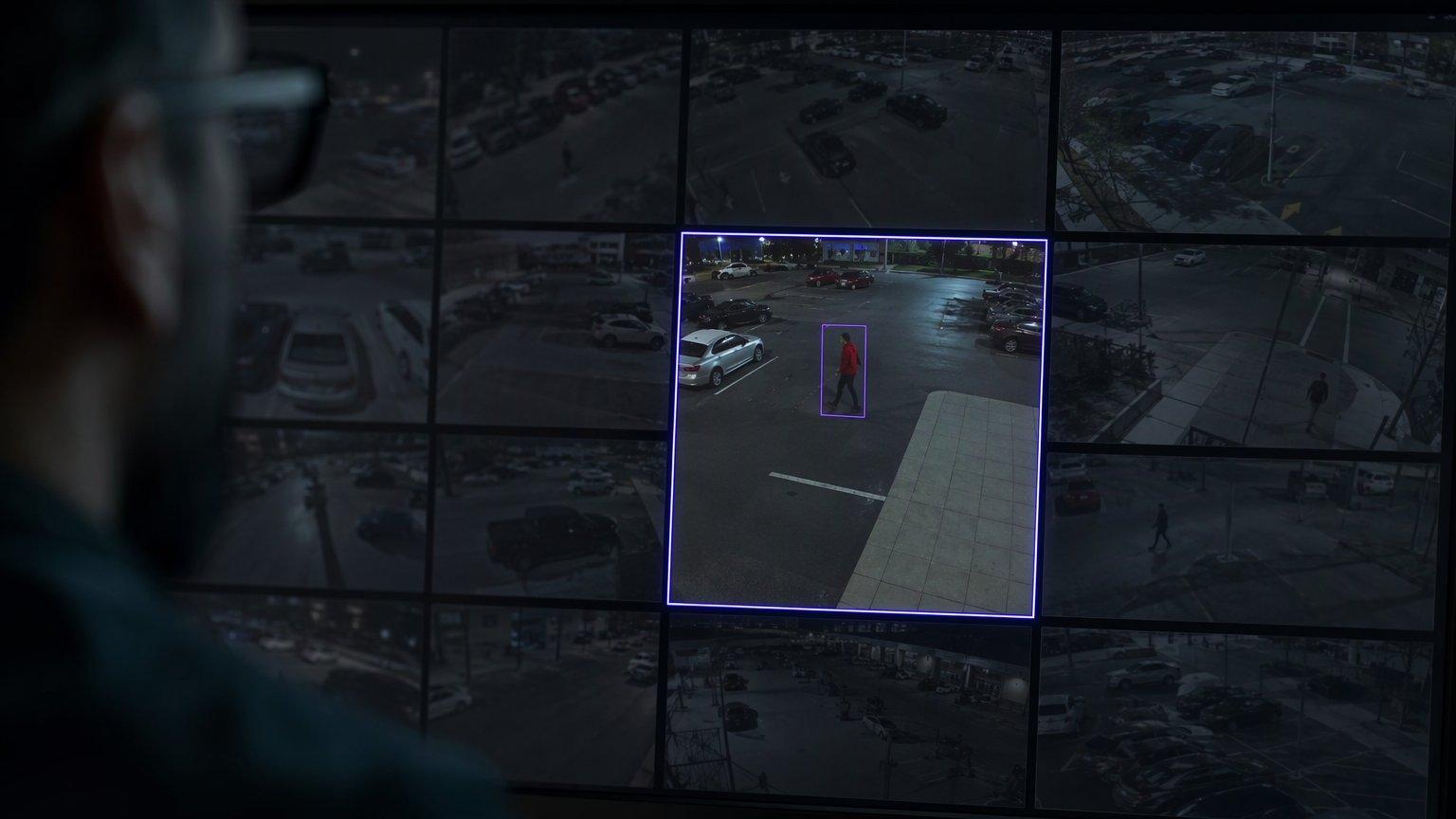
Someone scratched a car in the parking lot. Boxes are missing from the warehouse. A customer swears they were robbed in the store "around four in the afternoon, give or take." You have the cameras, you have the recordings, and still what comes next is a whole afternoon in front of a screen, fast-forwarding and hoping not to skip the exact moment.
That is the reality for most security teams: security cameras record everything, but finding something in what was recorded is slow. AI video search changes that. Instead of reviewing hours of footage, you type what you are looking for, the way you would tell a coworker, and the platform shows you the clips. If you want to see it work on your cameras, you can try Closely's search on your own recordings.
What natural-language video search is
Natural-language video search is a feature that lets you find moments in recordings by describing them in everyday words. For example: "person in a red jacket entering the parking lot," "forklift near the back door" or "white pickup leaving after 8 p.m."
Before, searching security cameras footage worked by date, time and camera. You had to know roughly when something happened to find it. With AI video search, the system has already analyzed what appears in the video (people, vehicles, objects, colors, actions) and you can search by content, not just by time.
The idea is not exclusive to one brand. Platforms such as Flock Safety (with its FreeForm feature), Eagle Eye Networks (with Smart Video Search), Uniview (with SeekFree) and Spot AI already offer their own version of natural-language search. It is an industry trend, not one vendor's fad, which is why it helps to know how to evaluate it.
Why reviewing footage by hand no longer makes sense
Reviewing video by hand has three problems every operator knows.
It is slow. One camera produces 24 hours of video a day. If the incident could have happened on any of eight cameras within a six-hour window, you are looking at dozens of potential hours of footage.
It is imprecise. After an hour staring at a screen, attention drops. That is human. The detail you were looking for passes right in front of you and you miss it.
It is expensive. Every hour a supervisor spends reviewing recordings is an hour not spent running the operation. In a monitoring center that covers several sites, that time multiplies.
And there is a worse consequence: when incident investigation takes this long, often it simply does not happen. Small incidents get filed away, the pattern is never spotted and the loss repeats.
How AI video search works under the hood
Without getting technical, the process has three steps.
- The system analyzes the video. A computer vision model identifies people, vehicles, objects and actions in the images and logs them with their time and camera.
- It understands your question. A language model turns what you type ("a person with a black backpack near the storeroom") into a search over that information.
- It returns clips. Instead of a list of files, you see the specific moments so you can verify them yourself.
That last step matters. A good tool does not hand you "the answer": it takes you to the video where you can confirm it with your own eyes. In security, the evidence is the clip, not the summary.
How Closely handles it: the Investigator agent
In Closely, search is done by one of the platform's five agents: the Investigator. The operator describes in natural language what they are looking for and gets the relevant clips in minutes, without reviewing recordings by hand.
What matters is where it runs. Closely works on the cameras you already have, with no proprietary hardware, connecting through RTSP or ONVIF or through your NVR, with brands such as Hikvision, Dahua, Axis, Bosch or Reolink. You do not have to change cameras to get smart search. To check it against your own infrastructure, request a free Closely demo.
That search is complemented by the other agents. The Watcher detects incidents in real time, the Reporter documents every event and the Supervisor checks guard rounds. So when something happens, you can not only find it: there is already a record with time, camera and description.
Practical examples of searches that save hours
Natural-language video search is more useful the more specific the question. A few real examples of how it is used:
- Retail: "person filling a bag in the cosmetics aisle." Lets you review a theft without watching the whole afternoon.
- Parking lots: "person in a red jacket walking between the cars." Useful when a customer reports damage or a theft.
- Warehouses: "forklift stopped in front of the loading door." To understand a delay or an accident.
- Residential buildings: "courier entering through the pedestrian door." To settle questions about who came in and when.
- Shopping centers: "person running toward the exit." To reconstruct an incident across several cameras.
In every case, the saving is not that the AI decides for you, but that it takes you straight to the minutes that matter.
What to ask of an AI video search tool
Before choosing a platform, run through this list:
- It works with your current cameras. If it demands new hardware, the real cost multiplies.
- It understands Spanish. Many tools were born in English. Ask how it handles searches in your language.
- It returns verifiable clips. You want to see the video, not only a text answer.
- It searches across several cameras at once. Incidents rarely happen in front of just one.
- It leaves a record. For audits, insurers and reports to authorities, you need to document what was searched and what was found.
- You can try it without commitment. With your recordings, not a demo video.
If you want to see how artificial intelligence also reduces the alerts that reach the operator, read our guide on AI motion detection without false alarms.
One last point: AI video search does not replace your security cameras, it makes better use of them. Incident investigation goes from an hours-long task to a natural language query, and the security cameras you already have become a source of answers, not just an archive. The clearer you describe what you are looking for, the better incident investigation works.
Limits worth knowing
No AI search is perfect. Quality depends on image quality: a badly placed camera, low light or a subject too far away will give worse results. Very fine details, such as reading a small license plate, still require a good camera. And a person should always confirm the result before acting, because an accusation or a report stands on evidence, not on an automatic match.
Do not forget the legal side either. Reviewing recordings with AI involves processing personal data, and in countries like Colombia or Mexico there are rules on how it is stored, who it is shown to and for how long. If you have doubts about your case, talk to a lawyer.
FAQ about AI video search
1. What is AI video search?
It is a feature that lets you find moments in recordings by describing them in words, for example "person in a red jacket in the parking lot," instead of reviewing the video by hand by date and time.
2. Can I search the recordings of my current cameras?
With Closely, yes. The platform connects through RTSP or ONVIF or through your NVR, so it works with the cameras you already have installed, with no hardware changes.
3. How long does it take to find an incident with AI video search?
It depends on the question and the cameras, but the idea is to go from hours of manual review to minutes. Closely's Investigator agent returns the relevant clips in minutes.
4. Do I need to know technology to use it?
No. You type what you are looking for in everyday words, as you would tell a shift coworker. No filters or special commands.
5. Can the AI get the search wrong?
Yes, it can. That is why the tool should return clips for you to verify. A person should always confirm the result before acting.
6. Does it work with any camera brand?
With Closely it works with brands that use standard protocols, such as Hikvision, Dahua, Axis, Bosch and Reolink. If your camera supports RTSP or ONVIF, it can usually be connected.
7. Is it for a small shop or only for large companies?
Both. Any business with cameras that has ever had to review footage after a theft or a complaint benefits from searching in minutes.
8. Can search results be used as evidence for a report?
The clip is the evidence, not the search result. The tool helps you find it quickly. For legal use, check with a lawyer in your country.
9. What is the difference between searching by time and searching by content?
Searching by time requires knowing when something happened. Searching by content lets you find a moment even if you do not know the exact time, because the system already recognizes what appears in the video.
10. How can I try Closely's search?
Closely offers a free two-week demo on your current cameras. You can request it at closely.dev and test with your own recordings.
The bottom line
Security cameras already record everything. The problem was never recording: it was finding. Natural-language video search turns hours of review into minutes and makes incident investigation possible where incidents used to be let go. To see how much time you would get back in your operation, request your free demo at closely.dev.