AI Deterrence on Security Cameras: What It Is and How to Get It Without Replacing Hardware
AI deterrence warns an intruder before a theft happens. What it is, when it works, and how to get similar results from the security cameras you already own.
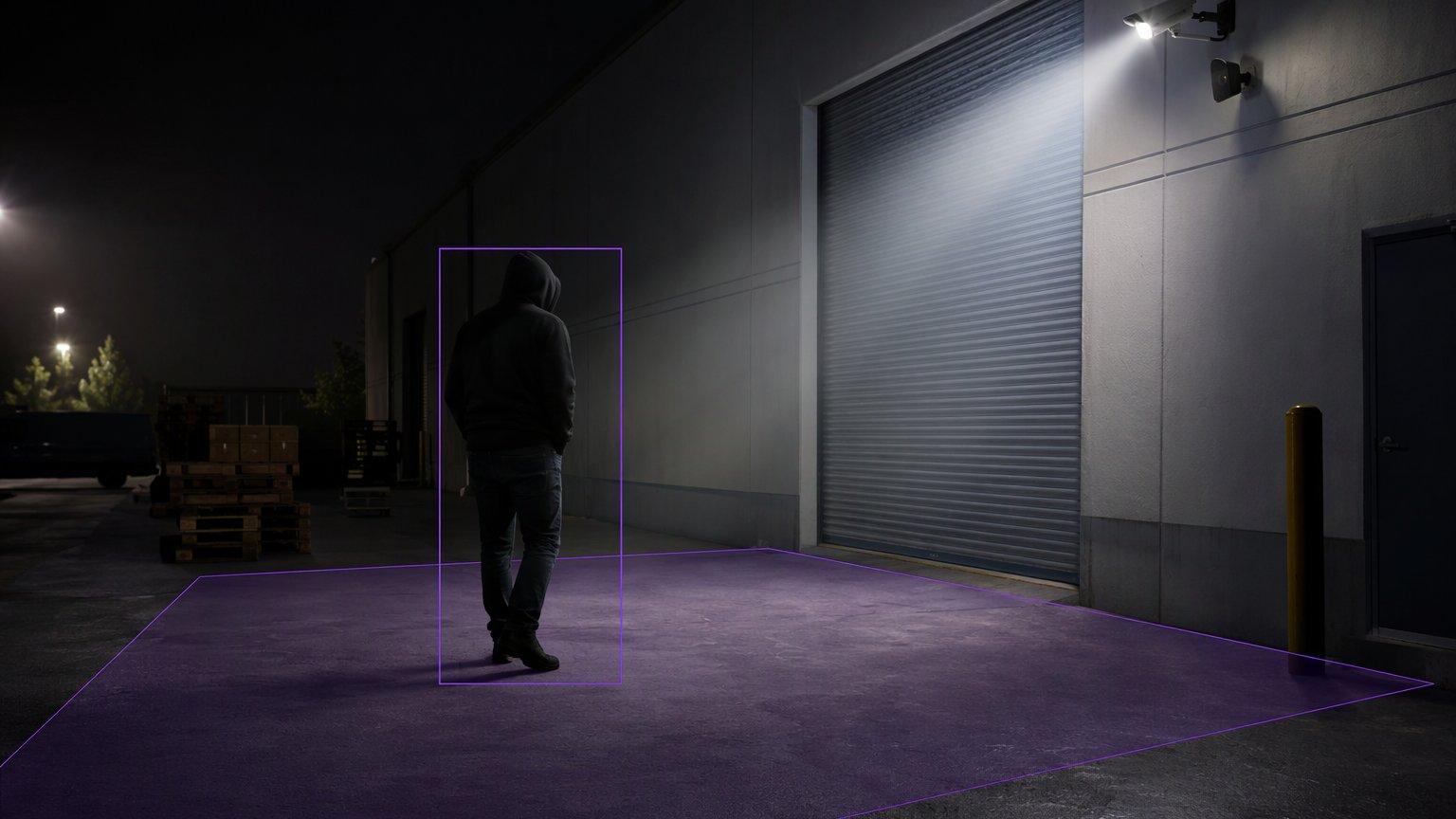
A camera that records a theft is useful for the police report. A camera that makes the thief walk away before he gets in is useful for the business. That is the idea behind AI deterrence, and in 2026 it went from promise to product: in February, Verkada launched a public beta of a feature that spots someone loitering and triggers AI-generated warnings. Security Today reported it on February 12, and the whole industry has been asking the same thing since: does it work, and do I have to buy new cameras to get it?
Short version: the part that matters most isn't the speaker, it's detecting early. And you can do that with the security cameras you already have. If you want to see how it would look on your own operation, you can try Closely on your current cameras.
What is AI deterrence on security cameras?
It's simple to explain. An AI system watches video in real time, recognizes suspicious behavior (someone loitering at a door, a person in a closed area at night) and reacts before something serious happens. The reaction is usually a warning: a voice saying "you are being recorded, this area is monitored," a light turning on, or an alert to a person who can step in.
According to Verkada's announcement, its feature analyzes footage with vision, audio and language models, detects behavior like loitering and triggers a sequence of warnings. The company also said each event uses a different voice so repeat offenders don't get used to it, and it extended the feature to its intercoms, which combine a camera, a high-decibel speaker and a badge reader. Those are the manufacturer's own claims, so read them for what they are: a product description, not a results study.
The real shift is in mindset. Traditional security arrives late: someone reviews the footage the next day. Deterrence tries to act in the seconds when the intruder is still making up their mind.
Does AI deterrence actually work, or is it just marketing?
It depends on what you ask of it. Three things are worth separating.
The warning itself. A voice or a light can make an opportunist leave. But there's nothing magic about it: an organized group or a determined person can ignore it. I don't know of an independent study that rigorously measures how much it reduces theft, so I won't give you a percentage. If someone offers you one without a source, be skeptical.
The detection. This is the real work. If the system confuses a cat, a shadow or a plastic bag blowing by with an intruder, "deterrence" becomes a speaker shouting at nothing at 3 a.m. That wears out the neighbors and your team, and eventually someone switches it off. It's the same old problem of false alarms, now with a loudspeaker attached.
The human response. An automatic warning with nobody behind it is a trick that wears off fast. When the intruder notices nobody responds, they come back. What really changes behavior is knowing a person is watching.
Do I need to buy new cameras or speakers to get AI deterrence?
This is the big question, especially if you have dozens of sites with Hikvision, Dahua or Axis already installed and paid for. Some vendors' solutions work inside their own hardware ecosystem, so you have to swap equipment to use them. That makes sense if you're starting from scratch; if you already have the infrastructure, it's a large investment.
The alternative is to split the problem in two:
- Detect and alert: this is software. It connects to the existing cameras and watches the video.
- Act: this is the physical part: a speaker, a light, a guard, a phone call.
Closely handles the first part with no proprietary hardware. It connects through RTSP/ONVIF or your NVR to brands like Hikvision, Dahua, Axis, Bosch or Reolink, and its Watcher agent detects in real time. For the second part you use what the site already has: the person on shift, the guard, the call to the manager. If your camera or entrance already has a speaker, an operator can use it to talk to the intruder; if not, the alert goes to someone who can act. You can see how it works on your current cameras in a free two-week demo.
How do I get a similar effect with the cameras I already have?
A practical recipe, without jargon:
- Define what "suspicious" means in each area. The parking lot at 2 p.m. is not the parking lot at 2 a.m. In Closely, those rules are written in plain language: "alert me if someone stays more than two minutes at the back door after 10 p.m."
- Filter the noise before alerting. The platform uses multi-layer filters and cuts false alarms by up to 88%. Less noise means that when something goes off, the team believes it.
- Keep a human in the loop. The operator reviews the event and decides before anyone is dispatched. That's the difference between an alert that gets ignored and one that gets handled.
- Define the response. Talk through a speaker if one exists, call the guard, send a WhatsApp message to the manager. The Gatekeeper agent, for example, alerts by WhatsApp and phone call for visitors and access events.
- Measure. Count how many alerts there were, how many were real and how long the response took. Tune the rules every week.
None of this requires buying a single device. And it has an advantage almost nobody mentions: with existing cameras you can start at the site with the most losses and expand from there.
What about loitering and high-risk zones?
Loitering is the perfect use case for deterrence because it's the moment before the crime: someone hanging around, looking, testing a door. If you catch the loitering and someone responds, the incident often never happens. It's cheaper than handling a theft and leaves fewer losses. The same goes for extortion, small-scale shoplifting or warehouse intrusions: it all starts with a presence that doesn't fit.
If the shift from reacting to anticipating interests you, check our comparison with other platforms, like Closely vs. Verkada, where I explain where each one makes sense.
When does a single-vendor integrated system make sense?
To be fair: if you're building a new site, want one provider for everything and have a comfortable hardware budget, an integrated solution can be convenient. Fewer pieces, one support line. The cost is being tied to that ecosystem. If you already run cameras from several brands, or a monitoring center serves many clients with different equipment, the practical choice is an AI layer that doesn't depend on the hardware.
Frequently asked questions about AI deterrence
1. What is AI deterrence on security cameras?
It's a system that detects suspicious behavior in video, like loitering, and reacts before the crime happens, with a voice warning, a light or an alert to a person. The goal is for the intruder to leave before acting.
2. Does AI deterrence really reduce theft?
It can help with opportunists, but I don't know of an independent study that gives a reliable percentage, so I won't invent numbers. What is clear is that it works better when a real person stands behind the warning.
3. Do I need new cameras to use AI deterrence?
It depends on the vendor. Some require their own hardware. With Closely, detection runs on your existing cameras through RTSP/ONVIF or NVR, with no proprietary hardware.
4. Which cameras work with Closely?
Brands like Hikvision, Dahua, Axis, Bosch and Reolink, among others, as long as they expose RTSP/ONVIF or record to a compatible NVR.
5. Can I talk to the intruder from the monitoring center?
If the camera or access point has a speaker, an operator can use it. If not, the alert goes to whoever can act: the guard, the manager or a phone call. Detection and alerting don't depend on having speakers.
6. How do I keep deterrence from firing on false alarms?
With multi-layer filters before alerting and with human validation. Closely reports up to 88% fewer false alarms with this approach, and the operator confirms before dispatch.
7. What is loitering and why does it matter?
It's when a person stays in an area for no apparent reason, for example at a door or in a parking lot. It matters because it's often the step before a theft or intrusion, and catching it lets you act in time.
8. How do I set the rules for what counts as suspicious?
In plain language, no code. For example: "alert me if someone stays more than two minutes next to the warehouse after 8 p.m." You can adjust them by camera and schedule.
9. How many sites can one operator cover with this approach?
With Closely, one operator can monitor up to 100 facilities, because the system filters the noise and only shows what is worth reviewing.
10. How can I test this in my business before paying?
Closely offers a free two-week demo on your current cameras. You can request it at closely.dev.
The bottom line
AI deterrence is a good idea with one weak point: detection. If the system detects well and someone responds, warning early changes the outcome. You don't have to change your hardware to start. Begin by detecting better on what you already own and build the response from there. If you want to see it working, book your free demo at closely.dev.