Facial Recognition on Security Cameras in 2026: How It Works, What It's For, and What to Know Before Implementing It
Facial recognition on security cameras: how it works, watchlists and allowlists, the law in Colombia and the U.S., and deploying it on existing cameras.
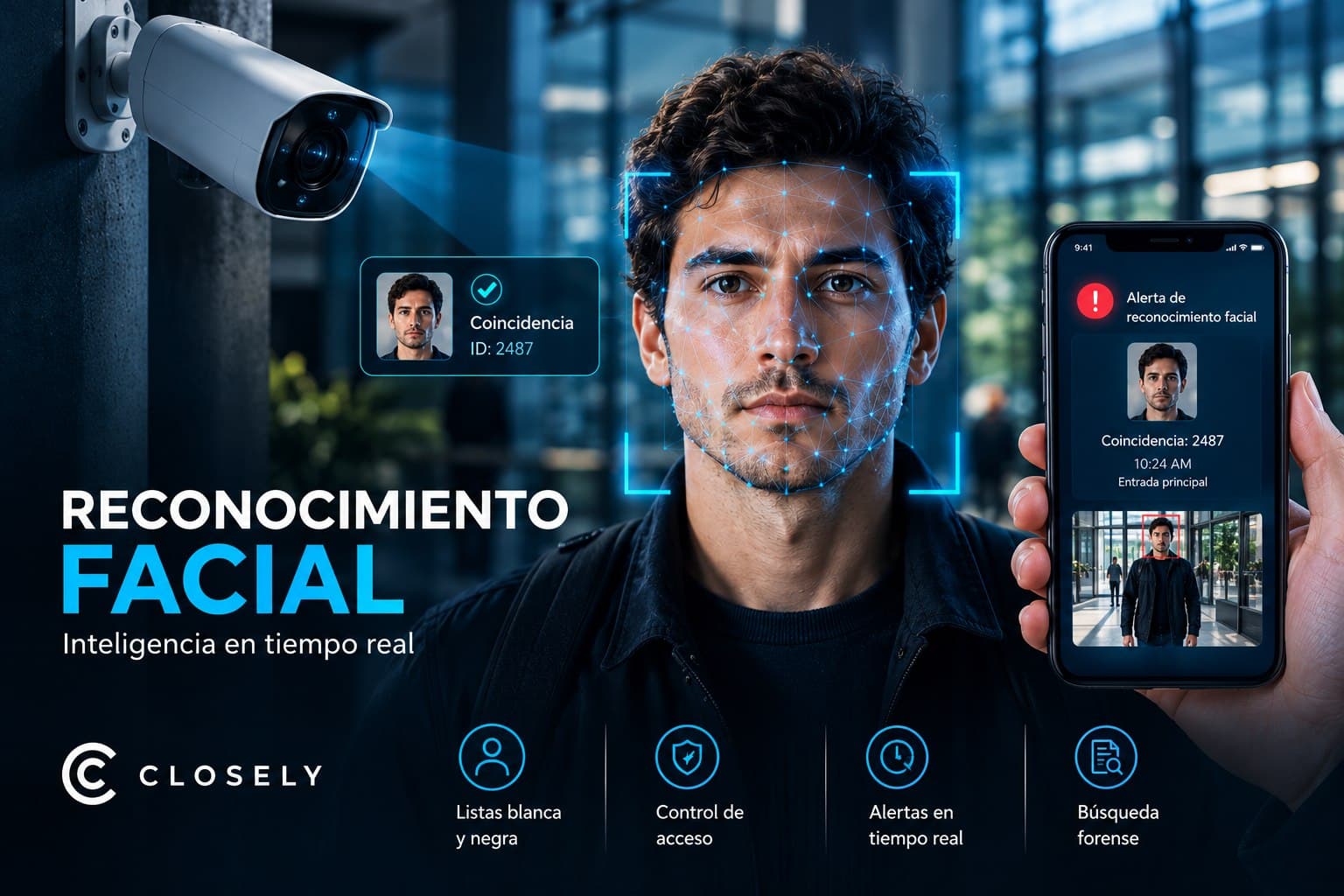
Facial recognition is no longer technology reserved for airports and intelligence agencies. Today it can run on the IP cameras you already have. This guide explains how it works, when it makes sense, and what to ask any vendor before you sign.
Why Facial Recognition on Security Cameras Is a 2026 Topic
For years, facial recognition on security cameras was a promise that cost too much, required specialized hardware, and rarely worked well in real conditions: difficult angles, variable lighting, crowds. Companies that implemented it did so with budgets in the hundreds of thousands of dollars and inconsistent results.
That has changed. Computer vision models have matured to the point where real-time facial recognition works on conventional IP cameras, without replacing hardware, without expensive dedicated servers, and with accuracy rates that were impossible in field conditions five years ago.
As a result, the question for most companies is no longer "can we implement facial recognition?" but "when does it make sense, and how do we do it right?"
What Facial Recognition on Security Cameras Is and How It Works
Facial recognition for security cameras is a system that analyzes faces captured in a camera's video, converts them into a mathematical representation called a face vector, and compares that vector against a database to determine whether there's a match with people of interest.
It's important to understand what a face vector is and isn't: it isn't a stored photo. It's a sequence of numbers that describes the proportions and features of a face in an abstract way. The same algorithm produces very similar vectors for the same face, which is what makes comparison possible. The vector isn't an image and doesn't let anyone see the face directly, but it is still biometric data: it identifies a person, and it has to be protected as such.
The technical flow is as follows: the camera captures video, the AI system detects a face in the frame, extracts the facial features and generates the vector, the vector is compared against the vectors stored in the system's database, and if there's a match above the configured confidence threshold, an alert is generated.
All of this happens in real time, usually in fractions of a second per frame. It's the foundation of any modern facial recognition system.
Watchlists and Allowlists: The Two Main Use Cases
Closely's facial recognition system works on configurable lists that the operator manages. There are two main logics.
Allowlist: Authorized Access
The allowlist is the set of people the system recognizes as authorized. When the system detects someone on the allowlist, it doesn't generate an alert. When it detects someone whose vector doesn't match any allowlist profile, it can generate a notification.
This model is especially useful for access control: a company uploads photos of its employees, with their authorization, the system generates the corresponding vectors, and it automatically detects when an unrecognized person tries to access restricted areas. No cards, no PINs, no guard manually checking each person.
In high-turnover sites such as warehouses, industrial plants, or corporate buildings with many contractors, the value is immediate: the system knows who should be in each zone and alerts when someone who shouldn't be there appears on camera.
Watchlist: People of Interest
The watchlist is the set of people the system should alert on when they appear. This can include people who have caused previous incidents at the site, individuals under internal investigation, or people the organization has identified as a risk.
When real-time facial recognition detects a match with someone on the watchlist, the system immediately alerts the responsible operator or supervisor, with a clip of the moment of recognition and the camera where it happened.
For retail, this has direct applications: a store can upload the vector of someone who previously attempted theft and receive an alert the moment that person walks back in, before any incident occurs. It's also the use case with the strictest legal requirements, because people on a watchlist usually haven't given their consent; we cover this in the legal section.
Where It Runs: On the Cameras You Already Have
One of the most common questions about facial recognition for security cameras is whether it requires replacing existing hardware. The answer is no.
Closely deploys facial recognition as a software layer on IP cameras that are already installed. As long as the cameras support RTSP or ONVIF, Closely can connect to their feed and add facial recognition analysis on top. Hikvision, Dahua, Axis, Hanwha, Bosch, wired Reolink, and virtually any IP camera on the market are compatible.
That has a very concrete cost implication: there's no need to budget for hardware replacement to implement facial recognition. The investment is in software and integration, not new cameras.
The only hardware consideration that matters is camera resolution at the points where you want facial recognition. For reliable identification at distances of up to 3 meters, 1080p is enough. For longer distances or high-traffic areas, 4MP or more is preferable. If existing cameras already have adequate resolution at the critical points, there's nothing to change.
The Legal Side: What to Know Before Implementing
Facial recognition on security cameras is one of the technologies with the most regulatory variation between countries. There's no universal answer, and every operator should understand that before implementing.
In the United States
There's no general federal law on facial recognition in the United States, but several states have specific legislation. Illinois has the Biometric Information Privacy Act (BIPA), the strictest law in the country: it requires written notice and explicit consent before capturing biometric data, including scans of face geometry, and allows lawsuits with damages for each violation. Texas and Washington have their own biometric identifier laws. California has the CCPA and additional regulations in development. Cities such as San Francisco, Oakland, and Boston ban its use by local government.
For private use at commercial sites, the situation is more permissive in most states, but the landscape is evolving. In states like Illinois, watchlists are especially sensitive, because the people on them usually haven't given consent. Any implementation in the United States should include a legal review by jurisdiction.
In Latin America
In Colombia, Law 1581 of 2012 on personal data protection classifies biometric data as sensitive data. Processing it requires the data subject's prior, express, and informed authorization, and the Superintendence of Industry and Commerce (SIC) is the supervisory authority. Visible video surveillance notices are necessary, but informing people isn't the same as obtaining their authorization. In practice, that makes allowlists, where employees or residents authorize the use of their face, simpler to implement than watchlists of people who haven't given authorization.
In Mexico, the Federal Law on the Protection of Personal Data Held by Private Parties applies and also treats biometric data as sensitive. Argentina, Chile, Brazil, and Peru have their own legislation sharing similar principles.
What Closely Does to Reduce Risk
Closely's technical approach is designed to minimize the data that's stored: the system stores mathematical vectors, not galleries of face photos. That reduces the impact of any unauthorized access to the database. But to be clear: under most legal frameworks, including BIPA and Colombia's Law 1581, a face vector used to identify people is still biometric data, with the same notice, authorization, and security obligations.
In addition, lists are configured by the operator around specific people of interest, not the entire universe of visitors. That distinguishes it from mass, indiscriminate surveillance systems.
The recommendation is always to review the applicable legal framework in the specific jurisdiction before implementing. Closely doesn't replace legal advice, and the team can work with the client's lawyers to define notices, authorizations, and retention policies before facial recognition is turned on.
Use Cases by Industry
Retail and Shopping Centers
Facial recognition on security cameras has a direct application in loss prevention. A store chain can centralize its list of people of interest and replicate it across all its locations: if someone attempts theft at one store and is added to the list, the system will alert when that person appears at any other store in the chain, always within what each country's law allows.
Corporate and Residential Buildings
Facial recognition-based access control removes the friction of cards and PINs for regular employees, and automatically alerts when someone unrecognized tries to access restricted areas. For residential buildings, the allowlist includes residents and frequent visitors who have authorized their registration.
Industrial and Logistics Facilities
In industrial plants with zones restricted for operational safety, real-time facial recognition ensures that only authorized and certified personnel access hazardous areas, automatically logging every access for auditing.
Events and Stadiums
For events with lists of restricted people, the system can alert in real time when someone on the watchlist tries to enter, before the guard at the gate has to check manually.
Closely: Facial Recognition on Your Existing Cameras
Closely integrates facial recognition for security cameras as part of its five-agent AI platform. Facial recognition works alongside Watcher (anomalous behavior detection), Gatekeeper (visitor management), Investigator (forensic search), Supervisor (guard tracking), and Reporter (automatic documentation).
Deployment happens on the IP cameras already installed, without replacing hardware. The system stores mathematical vectors, not face images, which reduces risk in the event of unauthorized access. The operator manages the watchlist and allowlist from the platform. And alerts arrive in real time via WhatsApp and a simultaneous phone call to the designated person.
For sites where access control and detecting people of interest are priorities, Closely's facial recognition system adds a layer of intelligence that cameras alone can't provide.
Closely offers a free two-week demo to see how facial recognition works on your specific cameras before any implementation decision.
10 Frequently Asked Questions About Facial Recognition on Security Cameras
1. How does real-time facial recognition on security cameras work?
The system analyzes the video frames captured by the camera, automatically detects whether a face is visible, extracts its features, and generates a mathematical vector describing that face. That vector is compared in milliseconds against the vectors stored in the system's database. If there's a match above the configured confidence threshold, the system generates an immediate alert. The whole process happens in real time on the camera's video feed, without interrupting recording or requiring manual intervention.
2. Does facial recognition on security cameras store photos of people?
Well-designed facial recognition systems, like Closely's, store mathematical vectors, not face images. A vector is an abstract numerical representation of facial features: it isn't a photo and doesn't let anyone see the face directly. That reduces risk if someone gains unauthorized access to the database. Even so, legally the vector is still biometric data, so the notice, authorization, and security obligations apply all the same.
3. Do I need to replace my cameras to implement facial recognition?
No, as long as your cameras are IP cameras that support RTSP or ONVIF. Closely's facial recognition for security cameras is deployed as a software layer on the cameras you already have installed. Hikvision, Dahua, Axis, Hanwha, Bosch, and virtually any IP camera on the market are compatible. The only consideration is resolution: for reliable recognition at distances of up to 3 meters, 1080p is enough.
4. What's the difference between a watchlist and an allowlist in facial recognition?
The allowlist contains the vectors of authorized people: employees, residents, frequent service staff. When the system recognizes someone on the allowlist, it doesn't generate an alert. The watchlist contains the vectors of people of interest the system should alert on when they appear on camera: individuals with previous incidents, people under investigation, or any profile the operator decides to monitor. The operator manages both lists from the platform and can add, edit, or remove profiles at any time.
5. Is it legal to use facial recognition on security cameras in Colombia?
Yes, under certain conditions. Law 1581 of 2012 classifies biometric data as sensitive and requires the data subject's prior, express, and informed authorization to process it. Video surveillance notices are necessary, but they don't replace that authorization. That's why allowlists of employees or residents who authorize their registration are the simplest case, while watchlists require more careful legal analysis. Storing vectors instead of photos improves data security, but doesn't change their status as sensitive data. The recommendation is always to review the specific case with legal counsel.
6. Is it legal to use facial recognition on security cameras in the United States?
It depends on the state. Illinois has BIPA, the strictest law, which requires written notice and explicit consent and allows lawsuits with damages for each violation. Texas, Washington, and other states have their own legislation. In most states, private commercial use is more permissive, but the regulatory landscape is evolving quickly. Any implementation in the United States should include a legal review for the specific jurisdiction, especially if watchlists will be used.
7. How accurate is facial recognition in real security conditions?
Accuracy depends on several factors: camera resolution, the angle of the face relative to the camera, lighting conditions, and distance. In controlled conditions (a building entrance, good lighting, a camera at face height), modern systems achieve accuracy rates above 95%. In more difficult conditions (variable lighting, extreme angles, long distances), accuracy drops. That's why the confidence threshold is configurable: a higher threshold produces fewer false positives but may miss some real matches. The operator adjusts that balance based on their risk tolerance and use context.
8. Can facial recognition work with face masks or glasses?
The most modern facial recognition models for security cameras have improved significantly at recognizing partially covered faces, including people wearing masks or glasses. The system uses the visible facial points (eye region, forehead, head shape) to generate the vector. Accuracy is lower than with the full face visible, but in many cases enough to generate an alert the operator can verify with the video clip. For use cases where masks are common, it's advisable to run specific accuracy tests during the demo.
9. How many people can I load into the watchlist or allowlist?
Modern face vector databases scale smoothly to thousands of profiles without significantly affecting comparison speed. For most commercial sites, where the allowlist may hold hundreds of employees and the watchlist dozens of profiles of interest, the system runs with complete fluidity. For very large-scale requirements, such as airports or stadiums with tens of thousands of records, there are architecture considerations that Closely's technical team evaluates during implementation.
10. What happens when the system detects someone on the watchlist in real time?
When Closely's real-time facial recognition detects a match with someone on the watchlist, it immediately alerts the designated operator or supervisor. The alert includes the video clip of the moment of recognition, the camera where it happened, the matching watchlist profile, and the match confidence level. The alert arrives via WhatsApp and a simultaneous phone call, ensuring the responsible person is notified even if they aren't watching the monitoring panel. The operator can review the clip, confirm the identity, and execute the corresponding response protocol.