WiFi Security Cameras: Complete Guide to Choosing, Installing and Getting the Most Out of Them
WiFi security cameras: how they work, signal, storage, top brands, when to use cable instead, and how to add artificial intelligence on top.
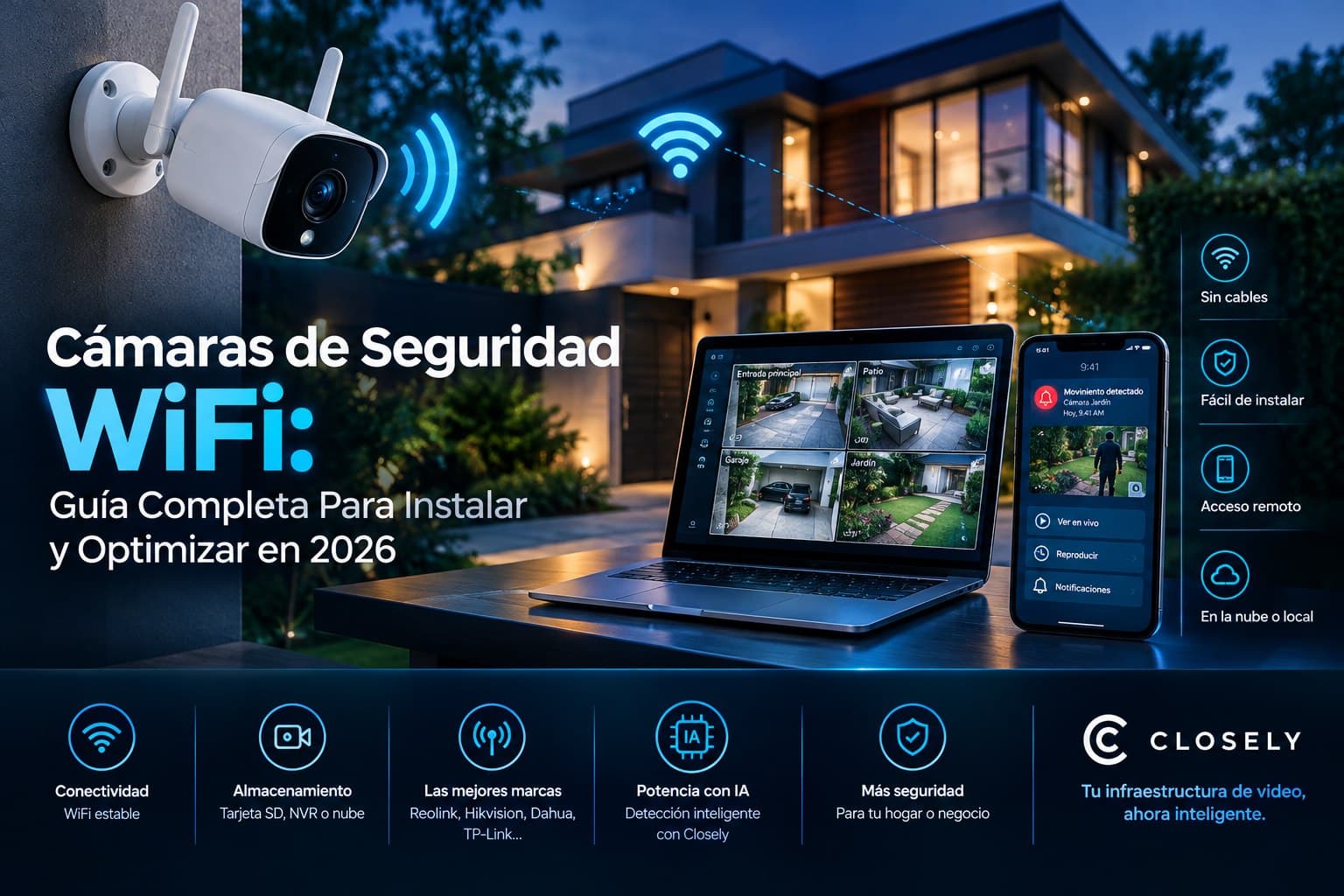
WiFi cameras are the first choice for millions of homes and small businesses. They're easy to install, require no cabling, and work with any existing network. But there are things you need to know before buying.
Why WiFi Cameras Became the Most Popular Option
Ten years ago, installing security cameras in a home or small business meant hiring someone to run cables through walls, drill ceilings, and leave meters of visible coaxial or UTP cable. It was expensive, took hours, and if you wanted to move a camera later, you had to repeat the process.
WiFi security cameras changed that completely. Today, most people can buy a camera online, mount it on the wall with two screws, and have it running in under twenty minutes. No video cables, no complicated drilling, no specialized technician.
That ease explains why the WiFi camera market grew so fast in Latin America and the United States in recent years. In Colombia, Mexico, Peru, Chile, and the Hispanic market in the United States, wireless cameras now make up the majority of residential installations and a significant share of small business installations.
But that ease of installation can lead people to underestimate some real limitations that determine whether a WiFi camera will work well in a specific installation.
How a WiFi Security Camera Works
A WiFi security camera is basically an IP camera with a built-in wireless adapter. Instead of transmitting video over a physical network cable, it does so over the WiFi signal of a router or access point.
The captured video is compressed (usually in H.264 or H.265), transmitted as data packets over the WiFi network, and reaches the storage device: an SD card in the camera itself, a local NVR, or cloud servers, depending on the configuration.
The manufacturer's mobile app connects to that same network, either locally when you're on site or remotely over the internet when you're elsewhere.
That sounds simple, and in many cases it is. But three variables determine whether a WiFi security camera will cause problems or work well: the quality of the WiFi signal at the installation point, the bandwidth available on the network, and the architecture of the chosen storage system.
WiFi on Security Cameras: What You Need to Know About Signal
WiFi is the factor that fails most often in poorly planned security camera installations, and it's almost never the camera's fault: it's the WiFi signal at the spot where it's installed.
A camera five meters from the router with direct line of sight will work perfectly. The same camera fifteen meters away, behind two concrete walls and with other devices competing for the channel, can suffer video dropouts, high latency, and frequent disconnections.
Before choosing where to install a WiFi camera, two things are worth checking:
Signal strength at the exact installation point. Any phone can show WiFi signal strength at that spot. A signal below -70 dBm (which shows as two bars or fewer on most phones) will cause video transmission problems. Above -70 dBm is generally enough for 1080p video.
Interference from other devices. 2.4 GHz WiFi networks, used by most low-cost cameras, suffer interference from microwaves, baby monitors, cordless phones, and neighbors' WiFi networks. If the installation is in a building with many nearby networks, a camera with 5 GHz support will have less interference, though shorter range.
Where the WiFi signal doesn't reach well, there are two options: extend the network with a repeater or mesh WiFi before installing the camera, or consider wired cameras at those specific points. If you're building a WiFi camera system for a business, doing this signal analysis before buying saves a lot of headaches.
WiFi Cameras vs Wired Cameras: When to Use Each
The most common question when someone is designing a security system is whether to use WiFi cameras or wired (PoE) cameras. There's no universal answer, but there are clear criteria for deciding.
When WiFi Cameras Are the Best Option
A well-configured WiFi security camera makes sense when running cable is expensive or impractical. Heritage buildings where walls can't be opened, businesses in leased spaces where the landlord doesn't allow construction, or hard-to-reach outdoor areas are cases where WiFi solves a real problem.
They also make sense for small installations with few cameras where the budget is tight and the WiFi signal is good at the relevant points. In those cases, a well-chosen WiFi security camera delivers very good results at a fraction of the cost of a wired installation.
When Cable Is Better
For installations with more than eight cameras, commercial installations where reliability is critical, or any installation that will add artificial intelligence for video analysis, PoE cable is more reliable. PoE cameras don't depend on WiFi signal quality, have no interference, and have dedicated bandwidth that guarantees video stream quality.
For AI systems like the one Closely uses, video stream quality and stability matter for detection to work well. A stream with dropouts or low quality due to weak WiFi directly affects detection accuracy.
Storage on WiFi Cameras: SD Card, Local NVR, or Cloud
WiFi cameras have three main storage options, and each has its advantages.
Local SD Card
Most WiFi security cameras on the market support microSD cards for local storage. It's the simplest option: video is saved directly on the camera, without depending on an extra device or internet connectivity to record.
The limitation is capacity: even with a 256 GB card, a 1080p camera recording continuously fills it in one to two weeks, depending on the configured frame rate and compression. The oldest recordings are overwritten automatically.
Another risk: if the camera is stolen or destroyed in an incident, the recordings are lost along with it.
Wireless Local NVR
Some WiFi camera brands offer proprietary wireless NVRs that centralize storage for multiple cameras on a hard drive. This provides more storage capacity and lets you manage all cameras from a single point.
The downside is that many of these systems are closed ecosystems: manufacturer A's cameras only work with manufacturer A's NVR.
Cloud Storage
More and more WiFi cameras offer cloud storage plans as a complement or alternative to local storage. Video is stored on the vendor's servers, accessible from anywhere, with protection against theft or physical damage to the camera.
The cost is recurring (usually monthly per camera) and depends on how many days of retention you want. For small installations with few cameras it's manageable; for larger installations it can become significant.
The Best WiFi Security Camera Brands in 2026
The WiFi camera market has options for every budget and need. Building a coherent WiFi camera system depends on choosing the right brand and storage architecture from the start:
Reolink is one of the most popular brands in Latin America and the United States for the residential and small business segment. Its Argus (battery or solar) and RLC (wired power) lines cover most use cases at accessible prices. The wired-power models support RTSP, which makes them compatible with third-party platforms.
TP-Link Tapo is another very popular option, especially in Latin America, thanks to its low price and easy-to-use app. A good option for strictly residential use.
Hikvision and Dahua have WiFi camera lines in their catalogs, aimed more at the semi-professional segment. Their advantage is better image quality and greater compatibility with professional video management systems. For building a more robust WiFi camera system in mid-sized businesses, these brands offer better integration with external platforms.
Axis has WiFi options for the enterprise segment, with greater ruggedness and advanced configuration options.
How Closely Integrates with WiFi Cameras
Closely connects to WiFi security cameras that support RTSP through the industry-standard protocol. That includes Reolink's wired-power models, Hikvision's and Dahua's semi-professional WiFi lines, and any WiFi camera with RTSP support.
What Closely adds on top of those cameras is the intelligence layer a WiFi camera doesn't provide on its own:
Watcher analyzes the video feed in real time looking for anomalous behavior: people loitering, abandoned objects, access to restricted areas, aggressive behavior, weapon detection. All with up to an 88% reduction in false alarms compared with conventional motion detection.
Gatekeeper manages visitor flow autonomously, notifying via WhatsApp and a simultaneous phone call without anyone having to watch the video constantly.
Investigator turns reviewing hours of recordings into a query that takes minutes, using natural language.
Supervisor tracks guard patrols in real time.
Reporter automatically documents every event without the operator filling in anything by hand.
One important consideration: for Closely to work optimally on WiFi cameras, the network signal at the installation point must be stable. WiFi quality directly affects the quality of the video stream the agents analyze, and a stream with frequent dropouts from a weak signal affects detection quality. If existing cameras have connectivity problems, fixing network quality first is the right first step.
Closely offers a free two-week demo on the cameras you already have installed, including RTSP-compatible WiFi cameras.
10 Frequently Asked Questions About WiFi Security Cameras
1. Do WiFi security cameras work without internet?
It depends on the configuration. WiFi security cameras that record to a local SD card keep recording even if the internet connection drops, as long as the local WiFi network keeps working. What you lose without internet is remote access from your phone and cloud storage. If the camera depends entirely on the cloud to record (no SD card), an internet outage stops recording. For installations where continuous recording is critical, a local SD card or local NVR is the necessary backup.
2. How many WiFi cameras can a home router handle?
A standard home router can handle 20 to 30 simultaneously connected devices, but the practical limit for WiFi cameras depends more on available bandwidth than on the number of connections. Each 1080p camera uses roughly 2 to 4 Mbps of bandwidth. With a symmetrical 100 Mbps connection, you could in theory support 25 cameras recording simultaneously. In practice, for installations with more than 6 or 8 WiFi cameras, a mid-range router or a mesh system is recommended to ensure stability.
3. Do outdoor WiFi cameras work well in rain and heat?
Outdoor WiFi security cameras have IP protection ratings that indicate their resistance to water and dust. The most common rating is IP66 (full dust protection and protection against powerful water jets), which is enough for normal rain. Some models are rated IP67 or IP68 for more extreme conditions. For installations in areas with heavy rain or direct sun exposure with extreme heat, it's important to check the IP rating and operating temperature range of the specific model before buying.
4. Can a WiFi security camera be hacked?
WiFi introduces cybersecurity risks if the camera isn't configured correctly. WiFi cameras have known vulnerabilities when left with default settings. The most common problems are default passwords that are never changed, outdated firmware with known vulnerabilities, and unencrypted transmission. To reduce the risk: always change the default password to a strong one, turn on automatic firmware updates, use WPA3 or at least WPA2 on the WiFi network, and consider putting the cameras on a separate network (a VLAN or guest network) so they don't have direct access to other devices on the network.
5. What's the difference between a 2.4 GHz and a 5 GHz WiFi camera?
The 2.4 GHz band has longer range and better wall penetration, but less bandwidth and more interference from other devices. The 5 GHz band has shorter range but more available speed and less interference. For indoor WiFi security cameras close to the router, 5 GHz is preferable. For outdoor cameras or indoor cameras far from the router, 2.4 GHz can be more reliable. Many modern cameras are dual-band and automatically pick the best option based on conditions.
6. Do WiFi cameras record 24 hours a day or only when they detect motion?
Most WiFi cameras offer both options, configurable from the app. Continuous recording uses much more storage: a 128 GB SD card fills in 3 to 5 days of continuous 1080p recording. Motion-triggered recording significantly extends the card's capacity, but can miss events if the motion doesn't trigger the sensor in time. The most common setup is continuous recording to an NVR with large storage, plus motion-detection clips uploaded to the cloud as a backup of important events.
7. Can I use WiFi cameras with Closely AI?
Yes, as long as the WiFi cameras support RTSP. Wired-power models from brands like Reolink (RLC line), Hikvision, Dahua, and Axis are the most compatible. Battery cameras with more closed ecosystems vary more in RTSP compatibility. Closely verifies compatibility with the specific model during the initial assessment, before the free two-week demo. One important condition is that the WiFi signal at the installation point is stable, to ensure the video stream quality the AI system needs to work well.
8. What resolution does a WiFi camera need for person detection to work well?
For reliable person detection at distances of up to 5 meters, 1080p is enough. For distances of 5 to 10 meters, or for facial recognition, 4MP or more is recommended. Resolution directly affects the accuracy of artificial intelligence systems: a low-resolution WiFi camera can detect motion but not tell whether it's a person, a vehicle, or a shadow. Modern mid-range WiFi security cameras already offer 4MP at accessible prices and are the recommendation for installations where AI detection is a priority.
9. Are battery-powered WiFi cameras good for business security?
Battery-powered WiFi cameras have clear advantages where there's no power outlet: fences, loading areas, remote outdoor areas. But for commercial use there are important limitations: the battery lasts from one to several months depending on activity and configuration (more motion detections mean shorter battery life), continuous video streaming drains the battery quickly, so many models only record event clips, and RTSP compatibility for third-party platforms is more limited. For businesses that need continuous recording and AI analysis, cameras with wired power are more appropriate.
10. How much does it cost to install a WiFi camera system for a small business?
The cost of a WiFi security camera system for a small business varies with the number of cameras, the brand, and the storage configuration. A reasonable-quality WiFi camera in the Latin American and U.S. markets costs between $30 and $120. A 4-camera system with SD card storage can run between $150 and $400 in hardware. Cloud storage plans add a monthly cost of $5 to $15 per camera. DIY installation eliminates labor costs. If an artificial intelligence platform like Closely is added on top, the cost of that layer is assessed per installation during the free demo.