CCTV Security Systems: Everything You Need to Consider Before Installing One in 2026
Cameras, recorders, alarms, AI analytics, remote monitoring — everything to consider before installing a CCTV security system for your business or building.
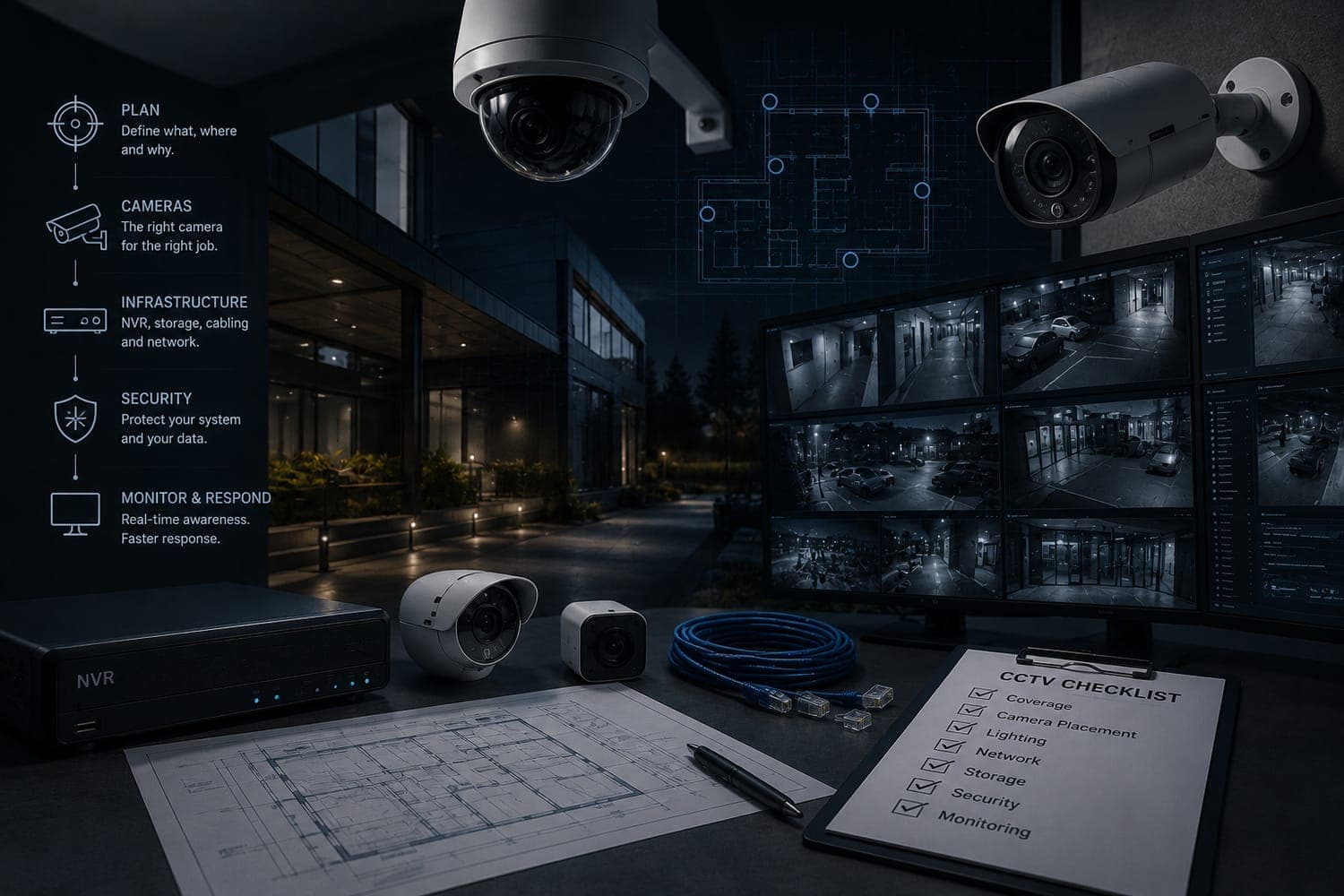
Most CCTV installations start backwards — shopping for cameras before defining what you actually need to see. A well-designed CCTV security system starts with one question: what do you need to see, when, and what should happen when something goes wrong? Everything else — cameras, recorder, monitoring model, AI analytics — follows from that. Here's the complete process, from hardware selection to response protocol.
Thinking about setting up a CCTV system for your business, building, or operation? Here's what nobody tells you before you spend the money — and how to get it right the first time.
Before you buy a single camera, read this
Most people approach a CCTV installation backwards. They start by shopping for cameras, get overwhelmed by specs and brands, pick something based on price or a recommendation from an installer, and end up with a system that technically works but doesn't actually solve the problem they had.
A well-designed CCTV security system — or more broadly, a video surveillance system — starts with a completely different question: what do you actually need to see, when, and what do you want to happen when something goes wrong?
Once you can answer that, everything else — the cameras, the recorder, the monitoring setup, the analytics layer — follows logically. This guide walks you through that process from start to finish, whether you're setting up security for a small retail store in Miami, a residential complex in Bogotá, a corporate campus in Mexico City, or a multi-site operation across the US and Latin America.
Step 1: The hardware — cameras, recorders, and the infrastructure that holds it together
Choosing the right security cameras
The camera is what everyone focuses on, and it matters — but not in the way most people think. The specs that get marketed hardest (megapixels, night vision range, weatherproofing rating) are table stakes. What actually determines whether your CCTV security system does its job is coverage design: which angles you cover, where you place each camera, and what each camera is specifically supposed to see.
That said, hardware decisions do matter. Here's how to think through them:
Resolution — For any modern CCTV installation, 2MP (1080p Full HD) is the minimum worth considering. It's enough for facial recognition at close range and license plate capture in good lighting. If you need reliable identification at distance, in low light, or at a wide angle, 4MP or 8MP cameras are worth the incremental cost. Resolution also matters if you plan to add AI analytics later — computer vision models need a clean image to work accurately.
Camera type — The most common choices are:
- Dome cameras — discreet, vandal-resistant, good for indoor spaces and entry points. The dome housing obscures the lens direction, which acts as a mild deterrent.
- Bullet cameras — visible, longer range, typically better for outdoor perimeter coverage. The visible presence is itself a deterrent.
- PTZ cameras (Pan-Tilt-Zoom) — motorized cameras that can be remotely directed to follow a person or zoom into an area of interest. Expensive, but valuable in large open spaces like parking lots or plazas where fixed cameras can't cover everything.
- Fisheye cameras — 360-degree coverage from a single unit, useful for large indoor areas like warehouses or lobbies where you want full-room awareness without multiple cameras.
Indoor vs outdoor — Outdoor cameras need an IP66 or higher weatherproofing rating and proper housing for the climate. In coastal areas or industrial environments, corrosion resistance matters. In high-altitude environments (common in Andean cities like Bogotá, Quito, or Medellín), temperature variance is a factor.
Wired vs wireless — For permanent commercial installations, wired is almost always the right answer. Wireless cameras are convenient for temporary setups or hard-to-cable locations, but they introduce signal reliability risks and potential security vulnerabilities that wired systems don't have. For a professional CCTV installation, run the cable.
Recorders: NVR vs DVR
Your cameras need somewhere to send their footage. The recorder is what stores it, manages access, and — in most modern setups — provides the connection point for remote viewing and AI analytics.
NVRs (Network Video Recorders) work with IP cameras and are the standard choice for any new CCTV security system today. They receive pre-encoded digital streams from each camera over ethernet, store them locally on hard drives, and provide clean remote access via IP. If you're building a system from scratch, use an NVR.
DVRs (Digital Video Recorders) work with analog cameras over coaxial cable. They're still relevant if you're upgrading an existing analog installation and want to preserve your camera investment. Modern hybrid DVRs can handle both analog and IP cameras, and importantly, they expose IP outputs that allow remote access and AI integration — so an older analog system isn't necessarily a dead end.
For the storage question: calculate roughly 1-2TB per camera for 30 days of continuous HD recording. A 16-camera system running 24/7 at 1080p will consume somewhere between 16TB and 32TB of storage depending on compression settings. NVRs and DVRs with H.265 compression significantly reduce storage requirements — it's worth specifying this when purchasing.
Alarms, sensors, and the broader security layer
A CCTV security system works best when it's part of a broader detection stack, not a standalone solution. The most effective setups combine:
Motion sensors — PIR (passive infrared) sensors that detect heat signatures from moving people. These can trigger camera recording, lights, or alerts without relying on video analysis alone. They're particularly useful for outdoor perimeter areas where camera coverage may have gaps.
Door and window contacts — Simple magnetic sensors that register when a door or window opens. Cheap, reliable, and useful as a first-line trigger. When a contact sensor fires at 3am, that's the signal to look at the corresponding camera feed.
Access control integration — Linking your CCTV installation with access control systems (card readers, intercoms, keypads) creates a much more complete picture of what's happening at entry points. When a door access event occurs, the corresponding camera clip is automatically associated with it — no manual searching through footage.
Intercoms and audio — Two-way audio at entry points has become standard in residential and commercial security. It lets remote operators communicate with visitors without anyone being physically present, which is the foundation of services like remote portería (doorman) that are common across Latin America and increasingly adopted in the US.
Step 2: Your business type changes everything
The right CCTV security system for a warehouse in Houston looks nothing like the right system for a residential building in Lima or a retail chain in Mexico City. Here's how to think by use case:
Retail and commercial spaces
The priorities in retail are loss prevention at the POS area and customer-facing zones, perimeter coverage at loading docks and staff-only areas, and enough camera density that there are no blind spots a determined shoplifter can exploit. CCTV cameras for business in retail need to cover both customer-facing and back-of-house zones — a common mistake is over-indexing on the sales floor and leaving the receiving dock uncovered. For multi-location retail chains, remote CCTV monitoring from a central security desk becomes essential — you can't staff a dedicated guard at every location, but you can monitor all of them from one place.
Residential buildings and complexes
In residential security — apartment buildings, condominiums, gated communities — the main access points are the critical coverage zones: building entrances, parking garages, elevators, and common areas. The operational model in Latin America often includes portería service (a remote or on-site doorman managing visitor access). AI-assisted intercoms and camera analytics are transforming this vertical, replacing or augmenting human porters with automated systems that handle visitor verification, package deliveries, and access logging around the clock.
Industrial and logistics facilities
Warehouses, distribution centers, and manufacturing plants have large perimeters, limited staff relative to the area they need to cover, and high-value assets. PTZ cameras and perimeter analytics (detecting intrusions along fence lines or restricted zones) are typically the priority. Remote CCTV monitoring from a central SOC is the standard operational model — no facility can afford a guard standing at every corner of a 50,000 square meter site.
Corporate campuses and office buildings
Corporate environments prioritize access control integration, visitor management, and internal zone restriction. CCTV cameras for business in corporate settings are often as much about HR and compliance documentation as they are about physical security — audit trail coverage of server rooms, financial areas, and executive floors is increasingly standard. Analytics like tailgating detection (someone following an authorized person through a secure door) and loitering alerts in sensitive areas are particularly relevant. NDAA compliance is an additional consideration for US corporate clients with federal contracts or regulated supply chains.
Multi-site security operations
If you're a security company managing cameras across dozens or hundreds of client sites, the design challenge is completely different. You're not designing one CCTV installation — you're designing a scalable infrastructure that can onboard new sites efficiently, monitor all of them from a centralized SOC, and generate consistent incident data across a heterogeneous mix of hardware. This is where AI analytics and remote CCTV monitoring platforms become operationally essential, not optional.
Step 3: AI analytics — what it adds and when it's worth it
Why AI changes what a CCTV system can do
A traditional CCTV security system is a recording system. It captures everything and does nothing with it until a human reviews the footage — usually after something has already happened.
AI video analytics flips that model. Instead of recording and waiting, the system actively analyzes every camera feed in real time, looking for specific events or behavioral patterns, and surfaces only the ones that need human attention.
The practical difference is enormous. A human operator can realistically monitor 6 to 8 camera feeds with genuine attention. An AI system monitors every feed simultaneously, 24 hours a day, without fatigue. When something happens — someone loitering near a restricted entrance, a vehicle stopped in a no-parking zone, an unattended bag in a lobby, a crowd forming in an area that's usually empty — the system flags it in seconds and delivers a validated alert to an operator who can make a real decision.
According to the 2026 World Security Report, AI-powered video surveillance system analytics is now the single most cited cutting-edge technology among chief security officers globally — with 45% classifying it as crucial for their operations over the next two years. In Latin America, that number is 46%. In North America, 43%. This isn't a future trend — it's active adoption happening right now across both markets.
What AI can specifically detect
Modern CCTV security systems with AI analytics can detect:
- Loitering — a person stationary in a zone beyond a defined time threshold
- Perimeter breaches — crossing a virtual line you define around any sensitive area
- Tailgating — a second person following through a controlled entry behind an authorized user
- Crowd formation — unusual density building in a specific area
- Unattended objects — a bag, package, or item left without a person nearby
- Vehicle intrusion — a vehicle entering a pedestrian zone or restricted area
- Open door alerts — a controlled access point left unsecured beyond a time limit
The key is that good AI doesn't generate a raw alert for every detected event — it filters, classifies, and assigns a confidence score. Only events that exceed the threshold reach the operator. This is what solves the false positive problem that plagues traditional CCTV monitoring setups, where operators get hundreds of meaningless alerts per shift and quickly learn to ignore them.
When AI analytics is worth adding
For any CCTV installation managing more than 10-15 cameras, AI analytics is worth serious consideration. The math is simple: beyond that camera count, no human can provide genuine real-time coverage. You're either accepting that most of what's happening on your cameras isn't actually being watched, or you're paying for additional monitoring staff — which gets expensive fast.
For multi-site operations, the calculation is even clearer. AI analytics is what makes it possible to run a centralized SOC that genuinely covers hundreds of sites without proportionally scaling headcount.
Step 4: Remote CCTV monitoring — the operational model that ties it together
What remote monitoring actually means
Remote CCTV monitoring means that instead of (or in addition to) having a guard physically present at a site, a team of operators monitors camera feeds and responds to alerts from a centralized location — a Security Operations Center (SOC).
This model has become the standard in professional security for a simple reason: it's more cost-effective and, when done well, more effective than on-site presence alone. A single SOC can monitor dozens of sites simultaneously. An on-site guard can only be in one place at a time.
Remote CCTV monitoring works best when:
- The camera coverage is comprehensive (no significant blind spots)
- AI analytics is filtering the alert stream so operators see relevant events, not raw motion triggers
- The response protocol is clearly defined (who gets called, when, under what circumstances)
- Two-way audio is available at key points so operators can communicate with people on site
The response protocol question
This is the piece that most CCTV installation guides skip, and it's critical. A monitoring system is only as good as what happens when an alert fires. Before you finalize your setup, define:
- What types of events trigger what response (alert the site manager vs call police vs dispatch a guard)
- Who is on call and what the escalation chain looks like
- What documentation gets created for each incident
- How long footage is retained and who can access it
For security companies managing remote CCTV monitoring across multiple client accounts, this documentation layer — the automated incident report, the timestamped audit trail, the structured data behind every event — is increasingly what clients are asking for as a deliverable, not just the monitoring service itself.
How Closely fits into a modern CCTV security system
Once your cameras are installed and your recorder is running, Closely is the AI layer that makes the whole system work the way it was supposed to.
Closely connects to any camera, NVR, or DVR that has an IP connection — Hikvision, Dahua, Axis, Hanwha, Avigilon, or any manufacturer supporting RTSP and ONVIF. No hardware replacement. No changes to your existing recording setup. The platform ingests the video streams, runs them through a three-tier detection pipeline, and delivers validated, pre-classified alerts to your monitoring team in real time.
For security operators managing multiple client sites, Closely provides a unified SOC interface across the entire portfolio — all sites, all cameras, all alerts in one place. Instead of operators context-switching between different client interfaces, everything flows into a single dashboard where events are already prioritized and contextualized.
For businesses building their first serious CCTV security system, Closely adds the intelligence layer that turns a passive recording setup into an active monitoring operation — without requiring dedicated on-site staff for every location.
Every incident Closely processes generates structured data: what happened, where, when, how confident the detection was, what the operator did, how long it took to resolve. That data accumulates into an operational intelligence layer useful for client reporting, SLA management, compliance documentation, and — as the dataset grows — for institutional applications like insurance risk scoring and government safety planning.
Whether you're installing 10 cameras at a single location or managing 10,000 cameras across a hundred sites in the US and Latin America, Closely is worth a conversation before you finalize your setup. The integration is designed to fit your existing infrastructure — not the other way around.
Frequently Asked Questions
How many cameras do I actually need for my business or building?
There's no universal number — it depends entirely on the layout, the risk profile, and what you need to cover. The practical starting point is to walk every entry point, every transition zone (areas where people move between different parts of a building), and every high-value or high-risk area, and ask whether a camera there would either deter an incident or help you understand what happened afterward. Most small retail spaces need 4-8 cameras. A mid-sized office building typically needs 12-20. A residential complex or industrial site scales with perimeter length and entry point count. For any CCTV installation above 15 cameras, a professional site survey is worth doing before purchasing.
What's the difference between a CCTV system and an IP camera system?
"CCTV" (Closed Circuit Television) is the general term for any video surveillance system — it historically referred to analog systems but is now used broadly to describe all security camera setups. An IP camera system specifically refers to cameras that transmit video digitally over a network, as opposed to traditional analog cameras that use coaxial cable. All modern professional CCTV security systems are built on IP camera technology, which enables higher resolution, remote access, and AI analytics integration.
How much does it cost to install a CCTV security system for a small business?
For a small business installation in the US, a basic set of CCTV cameras for business — 4-8 camera IP system with an NVR, professional installation, and 30 days of local storage typically runs between $1,500 and $5,000 depending on camera quality, cable runs, and labor rates. In Latin America, comparable hardware costs are often 10-20% lower but installation labor varies significantly by market. Adding AI analytics is a software subscription on top of the hardware cost — typically priced per camera per month. The more meaningful cost comparison is usually hardware + monitoring staff vs hardware + AI monitoring, where the AI route almost always wins at any scale above 10 cameras.
Can I add AI analytics to a CCTV system I already have installed?
In most cases, yes — as long as your cameras or recorder have IP connectivity. Modern AI monitoring platforms like Closely connect to existing NVRs and hybrid DVRs via RTSP and ONVIF without any hardware changes. The AI layer sits on top of your existing setup and processes the video streams in real time. If you have older pure-analog cameras connected to a legacy DVR, the path to AI integration typically involves upgrading the recorder to a hybrid model that exposes an IP output, which is significantly cheaper than replacing the entire system.
What is remote CCTV monitoring and how does it work for businesses without on-site guards?
Remote CCTV monitoring means a team of operators watches your camera feeds from a centralized Security Operations Center rather than being physically present at your location. When an alert fires — triggered by AI analytics detecting an anomaly, or by a sensor — the operator reviews the live feed, assesses the situation, and takes the appropriate action: contacting the site manager, calling emergency services, or activating a verbal deterrent through two-way audio. For small and mid-sized businesses in both the US and Latin America, remote monitoring is increasingly the standard model — more cost-effective than dedicated on-site security and, when AI-assisted, often more responsive.
What should I look for when choosing security cameras for outdoor use in Latin America?
For outdoor use in LATAM climates, prioritize IP66 weatherproofing (minimum), and IR night vision range appropriate for the coverage distance you need. In tropical climates (coastal Colombia, the Caribbean, Central America), salt-air corrosion resistance and humidity tolerance matter. In high-altitude Andean cities, temperature swings between day and night can stress cheaper housings over time. For any perimeter coverage, bullet cameras with varifocal lenses give you the flexibility to adjust coverage angle after installation — useful because sightlines rarely match what you imagined in planning.
How long should a CCTV system store footage, and where should it be stored?
The standard retention period for most commercial CCTV installations is 30 days, which covers most incident investigation timelines. Some regulated industries (banking, healthcare, certain government contractors) require 60 or 90 days. Storage is typically local (on the NVR or DVR's hard drives), with cloud backup as an option for critical footage or for organizations that need offsite redundancy. A rough rule of thumb for storage planning: at 1080p with H.265 compression, each camera generates roughly 1-1.5TB of footage per 30 days of continuous recording. Size your storage accordingly and build in at least 20% headroom.
Do I need to notify people that they are being recorded by my CCTV system?
In the United States, notification requirements vary by state, but the general principle is that recording in public-facing commercial spaces is permitted with visible signage. Audio recording has stricter requirements in many states (particularly two-party consent states like California). In Latin America, requirements vary by country — Colombia's Ley 1581 governs data protection and applies to video surveillance in some contexts. The safest approach in both markets is to post clear, visible signage at all entries indicating that video surveillance is in operation, and to consult local legal requirements for any audio recording capability.
What is the best CCTV setup for a residential building or condominium complex?
For residential buildings, coverage priority is: main entrance(s), parking access, elevator lobbies on each floor (or at minimum ground and top floors), package delivery areas, and any secondary exits. An intercom system with camera integration at the main entrance is essential — this is the foundation of portería or remote doorman services that allow visitor access management without a physical porter present 24/7. AI analytics on the entrance cameras can automate visitor detection, notify residents of arrivals, and log all entry events automatically. For larger residential complexes in LATAM and the US, this model is becoming the standard for modernizing building security without increasing staffing costs.
How do I know if my CCTV system is actually working the way it should?
Most CCTV security systems have a gap between "technically functional" and "actually working." Cameras may be recording but positioned incorrectly, storage may be filling up and overwriting footage faster than expected, night vision may be underperforming, or alert thresholds may be set so sensitively that operators have stopped paying attention to them. The most reliable check is a quarterly operational review: verify that every camera is recording clean footage at the right resolution and frame rate, confirm storage capacity and retention are meeting your targets, test alert response protocols end-to-end, and review incident logs to confirm the system is detecting what it should. AI monitoring platforms like Closely add an additional layer of operational visibility — because every alert, every response, and every detection is logged, you can audit the system's actual performance over time, not just assume it's working.